
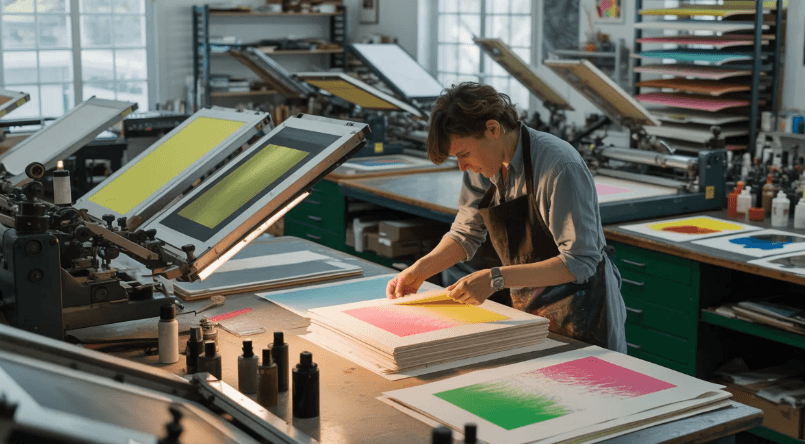
Producing high-quality printed materials requires consistency at every stage of manufacturing. Whether the final products are labels, packaging, flexible materials, or commercial prints, customers expect the finished output to match the approved design and quality standards.
As printing equipment becomes faster, maintaining this consistency becomes more challenging. A small issue can develop during production and affect a substantial amount of material before it is discovered through traditional quality checks.
Automated inspection technology provides manufacturers with a way to monitor production continuously. By combining cameras, image processing, and software-based analysis, printing operations can identify potential problems while production is still underway.
Why Print Quality Consistency Matters
Consistency affects both the appearance and reliability of printed products.
For branded packaging, for example, customers expect colors, graphics, text, and alignment to remain consistent across an entire production order. A noticeable difference can make a product appear less professional and may lead to customer complaints or rejected material.
Quality control therefore needs to identify problems as early as possible.
Periodic sampling can provide useful information, but it cannot necessarily reveal what happens between inspection points. Continuous monitoring provides a broader view of production.
The Limitations of Manual Inspection
Manual inspection relies heavily on operator attention and experience.
An operator may examine selected samples or observe material as it moves through the production line. However, high-speed printing can make it difficult for a person to maintain constant attention over an extended period.
Human fatigue can also affect visual concentration.
This does not mean manual inspection is unnecessary. Experienced personnel remain essential for evaluating problems and making production decisions. Automated technology can simply take over the repetitive task of continuously observing the material.
How Automated Inspection Supports Quality Control
Automated inspection uses cameras to capture images of printed material as it passes through a designated inspection area.
The captured images are processed by software that looks for visual differences according to configured criteria.
Depending on the application, the system may compare the current production with an approved reference or identify changes in specific visual characteristics.
When a potential issue is detected, the operator can receive an alert and investigate the affected area.
This creates a continuous quality-control process that works alongside normal production activities.
Common Quality Problems in Printing
Printing operations can experience different types of defects depending on the equipment, material, and production process.
Common examples include:
Missing Print
A section of text, graphics, or another element may not appear as expected.
Registration Errors
When multiple colors or layers need to align precisely, even a small difference can affect the final appearance.
Spots and Streaks
Unwanted marks can result from ink-related issues, contamination, material movement, or other production conditions.
Smudging
Ink or other printed elements may become distorted, reducing the visual quality of the product.
Color Variation
Changes in production conditions can create differences in color that may become noticeable across a finished order.
Automated inspection can help identify these and other visual inconsistencies when the system is properly configured.
The Importance of Continuous Monitoring
A printing problem can begin at any point during production.
For example, a machine may produce acceptable material during the first part of an order and develop a problem later. If quality control depends only on periodic samples, the issue may continue unnoticed until the next check.
Continuous monitoring provides a different approach.
The system observes the material throughout production and can highlight potential changes as they occur.
This gives operators an opportunity to investigate problems earlier.
Improving Production Efficiency
Quality control and production efficiency are closely connected.
When defects are discovered late, manufacturers may need to review large quantities of material, perform additional inspections, or repeat part of the production process.
Earlier detection can simplify the response.
Operators can investigate a problem while production is still taking place rather than waiting until the entire run is complete.
This can contribute to more efficient use of machine time, materials, and labor.
Reducing Unnecessary Waste
Waste is an important consideration in printing operations.
If a defect remains unnoticed, every additional meter or sheet produced during that period may potentially be affected.
Automated monitoring can shorten the time between the appearance of a problem and its detection.
This does not guarantee that all waste will be eliminated, but it can provide manufacturers with a better opportunity to limit the impact of recurring production issues.
Using Cameras Effectively
Camera selection is an important part of an automated inspection setup.
Manufacturers need to consider factors such as production speed, inspection width, material characteristics, and the level of detail required.
Camera positioning also needs to provide a clear and stable view of the material.
The best results come from treating cameras, lighting, software, and material movement as parts of one complete inspection environment.
Why Lighting Is Critical
Lighting can significantly influence image quality.
Different printed materials and substrates may reflect light differently. Glossy surfaces, for example, can create glare, while textured materials may produce variations in appearance.
If lighting conditions change during inspection, the software may have more difficulty distinguishing genuine defects from environmental differences.
Consistent lighting therefore plays an important role in reliable automated quality monitoring.
Software-Based Analysis
Once images are captured, inspection software analyzes the visual information.
The software may compare images with an approved reference or evaluate specific characteristics according to predefined inspection rules.
Appropriate configuration is essential.
If the inspection settings are excessively sensitive, operators may receive too many alerts. If the settings are too relaxed, important differences may go unnoticed.
The goal is to establish criteria that reflect the actual quality requirements of the printed product.
Integrating Inspection Into Production
Automated inspection should fit naturally into the manufacturing workflow.
Physical installation needs to consider available space, web movement, camera positioning, lighting, and operator access.
The software interface should also provide clear information.
When an alert is generated, the operator should be able to understand what has happened and determine what action may be appropriate.
A simple and practical workflow can make automated inspection easier to use on a daily basis.
Turning Inspection Results Into Useful Information
Inspection systems can provide more than real-time alerts.
When defect information is recorded, quality teams can review production history and identify recurring problems.
For example, repeated defects may encourage the team to investigate equipment condition, machine settings, material handling, or other process factors.
This can support a continuous improvement strategy.
Instead of simply removing defective material, manufacturers can work toward understanding why the defect occurred in the first place.
Selecting the Right Solution
Different printing operations have different quality-control requirements.
Manufacturers should consider:
- Printing process
- Material type
- Production speed
- Inspection width
- Defect characteristics
- Required image detail
- Lighting conditions
- Camera configuration
- Software capabilities
- Integration requirements
The solution should be matched to the actual production environment rather than selected only according to general specifications.
Businesses researching automated options can explore printing quality inspection systems when evaluating ways to improve quality monitoring.
Training Operators
Technology is most effective when operators understand how to use it.
Training should cover system operation, alert interpretation, defect review, and appropriate responses.
Operators should also understand the difference between acceptable production variation and a problem that requires corrective action.
Regular communication between production and quality teams can help ensure that inspection information is used effectively.
Maintaining Long-Term Performance
Automated inspection equipment needs appropriate maintenance to remain reliable.
Cameras should remain correctly positioned, lighting should be checked, and inspection settings should be reviewed when production requirements change.
New products, materials, or designs may require updated reference information or inspection parameters.
Routine maintenance and periodic review can help maintain consistent inspection performance over time.
Applications Across Printing Operations
Automated quality monitoring can support many different printing environments.
Packaging manufacturers may focus on graphics, colors, and registration. Label producers may require close monitoring of text and visual elements. Flexible-material operations may place greater emphasis on surface defects and consistency.
Because requirements differ, inspection systems should be configured according to the specific application.
See also: The Best Pianos for Beginners: What Actually Matters When Starting Out
Frequently Asked Questions
1. Why is automated inspection useful for printing?
It provides continuous monitoring of printed material and can identify potential defects during production. This gives operators earlier information about quality problems.
2. Can automated inspection improve production efficiency?
It can support efficiency by helping operators identify problems earlier, potentially reducing waste, rework, and the amount of time spent reviewing affected material.
3. What should be considered before installing an inspection system?
Manufacturers should evaluate their printing process, material type, production speed, defect requirements, inspection resolution, lighting conditions, available space, software needs, and operator workflow.
Conclusion
Maintaining consistent printing quality requires effective monitoring throughout the production process. While manual inspection remains valuable, high-speed manufacturing environments can benefit from continuous automated visual monitoring.
By using cameras, controlled lighting, image-processing software, and trained operators, manufacturers can improve visibility into production and identify potential problems earlier.
Automated inspection can support better consistency, reduced waste, improved efficiency, and more informed production decisions. The key is to select and configure a solution according to the specific requirements of the printing operation.
When technology and human expertise work together, quality control becomes a more integrated part of manufacturing and can help businesses deliver reliable printed products while maintaining efficient production.
